
The central hub for your data and generation
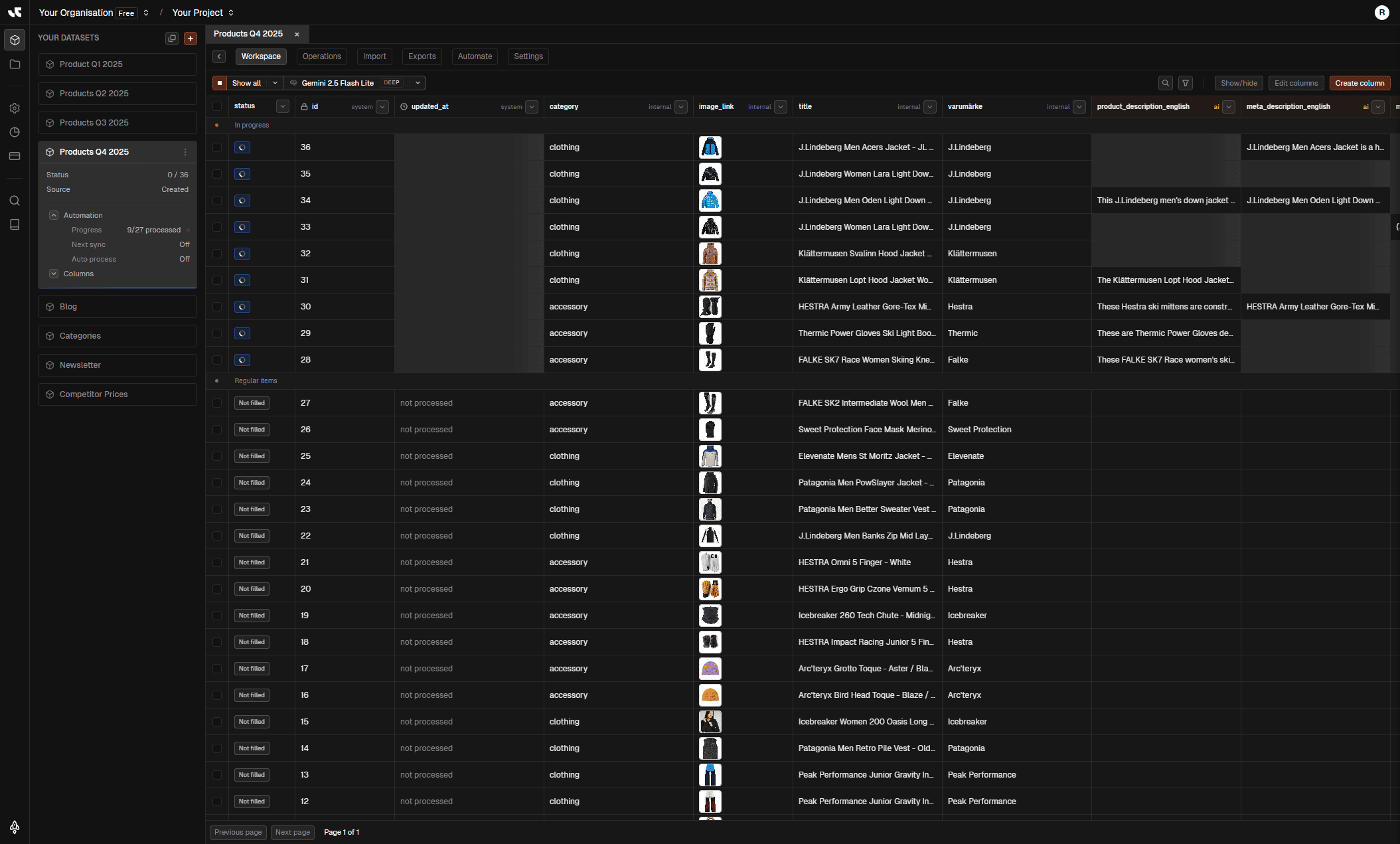
Manage datasets, generate content, and oversee backend processing in one unified interface. Your table updates in real-time as you work.
What's inside
Context-aware
Everything anchors to your selected Organisation and Project. Switch context and your datasets, billing, and automation follow instantly.
Real-time grid
Watch your table update live as backend processing completes. Edit generated values inline or manage columns on the fly.
Set and forget
Trigger large generation jobs and let them run in the background. We handle the heavy lifting while you move on.
Stay oriented while you work
Navigation, generation controls, and data grid live together so you can swap context without losing your place or your filters.
From setup to generation
Select project
Pick your Org and Project.
The header selector keeps you grounded. All your work is scoped to the right team and project automatically.
Create dataset
Import or start from scratch.
Upload CSVs, connect feeds, or let AI generate a dataset for you. Your data appears instantly in the sidebar.
Generate & refine
Fill columns and edit inline.
Run generation on specific rows or the whole set. Review outputs, edit values, and manage your data grid.
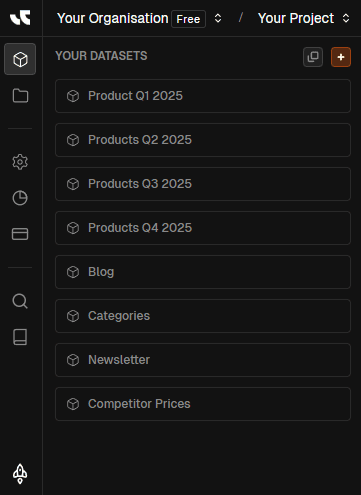
Stay anchored to the right context
Header selector and sidebar keep you in the right org and project, with quick access to everything you need.
Org & project selector
Located in the header, this selector updates your entire workspace context—datasets, billing, and settings—instantly.
Product-mapped sidebar
Access Workspace, Storage, Settings, Usage, Subscription, and Docs from a stable left rail.
User menu & settings
Your user menu and settings automatically update based on the selected organisation and project.
Related pages
Complete control over your data grid
See Internal and External columns together, manage visibility, search fast, and refine your data.
Internal vs. external columns
Clearly distinguish between data you uploaded (Internal) and data you created or generated (External).
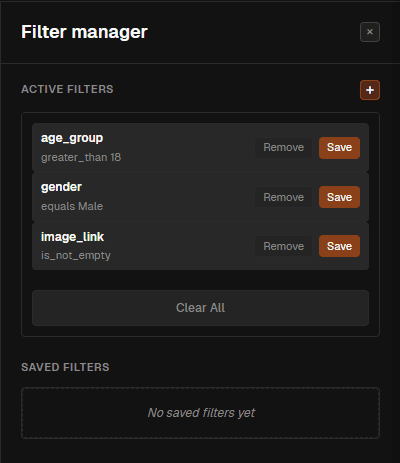
Search & filter
Search within specific columns or apply saved filters to quickly find items or define export subsets.
Inline editing & enrichment
Edit any generated value directly in the table. If enrichment is on, view source details for every item.
Related pages
Powerful generation at your fingertips
Fill blanks, update, or regenerate whole datasets—runs happen in the background at your chosen scope.
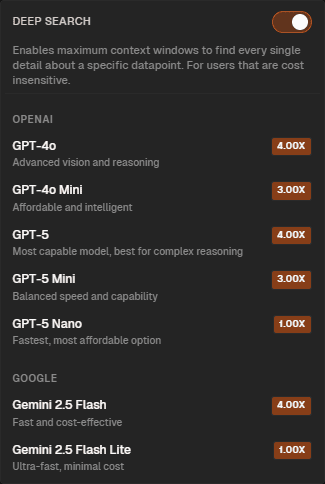
Deep search
Deep search goes to thousands of webpages to find the value you need before generating.
Background processing
Select individual rows, a page, or the whole dataset. Set it to run and forget it—we handle the scale.
Dataset operations
Dedicated tabs for Operations, Import, Export, Automate, and Settings give you full lifecycle control.
Related pages
Search & filter
Find items instantly with column search and saved filters.
Column control
Show, hide, or create columns to tailor your view.
Smart generation
Fill empty cells, update existing ones, or regenerate everything.
Bulk processing
Select rows, pages, or the whole dataset for background processing.
Inline editing
Tweak generated content directly in the grid.
Enrichment insights
View source data for every item when enrichment is on.
Dataset operations
Import, Export, and Automate from dedicated tabs.
Context aware
Navigation and settings adapt to your selected project.