
Org-level clarity with project isolation and fast dataset setup
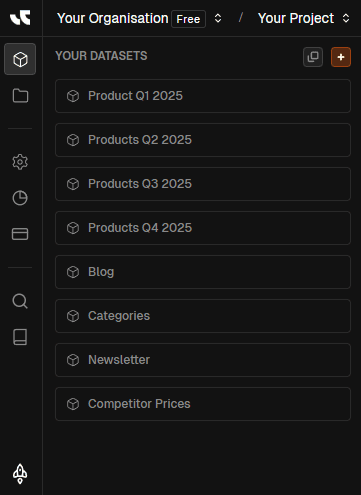
Create organisations, spin up projects, and start datasets without mixing contexts. The header selector keeps billing, usage, navigation, and exports tied to the org and project you pick.
What's inside
Org-scoped billing
Plans, usage, and API scope live at the organisation level. Switching orgs updates spend context everywhere.
Project isolation
Projects keep datasets, imports, exports, and automation separate so teams don’t mix data or governance.
Invite & govern
Invite members or vendors, assign roles, and keep approvals plus brand guidance aligned to the selected org.
Stay anchored to the right org and project
Switch organisations or create a project directly from the selector. The dataset library, billing context, and docs links update instantly.
From new org to governed datasets
Create organisation
Billing, plan, and usage live here
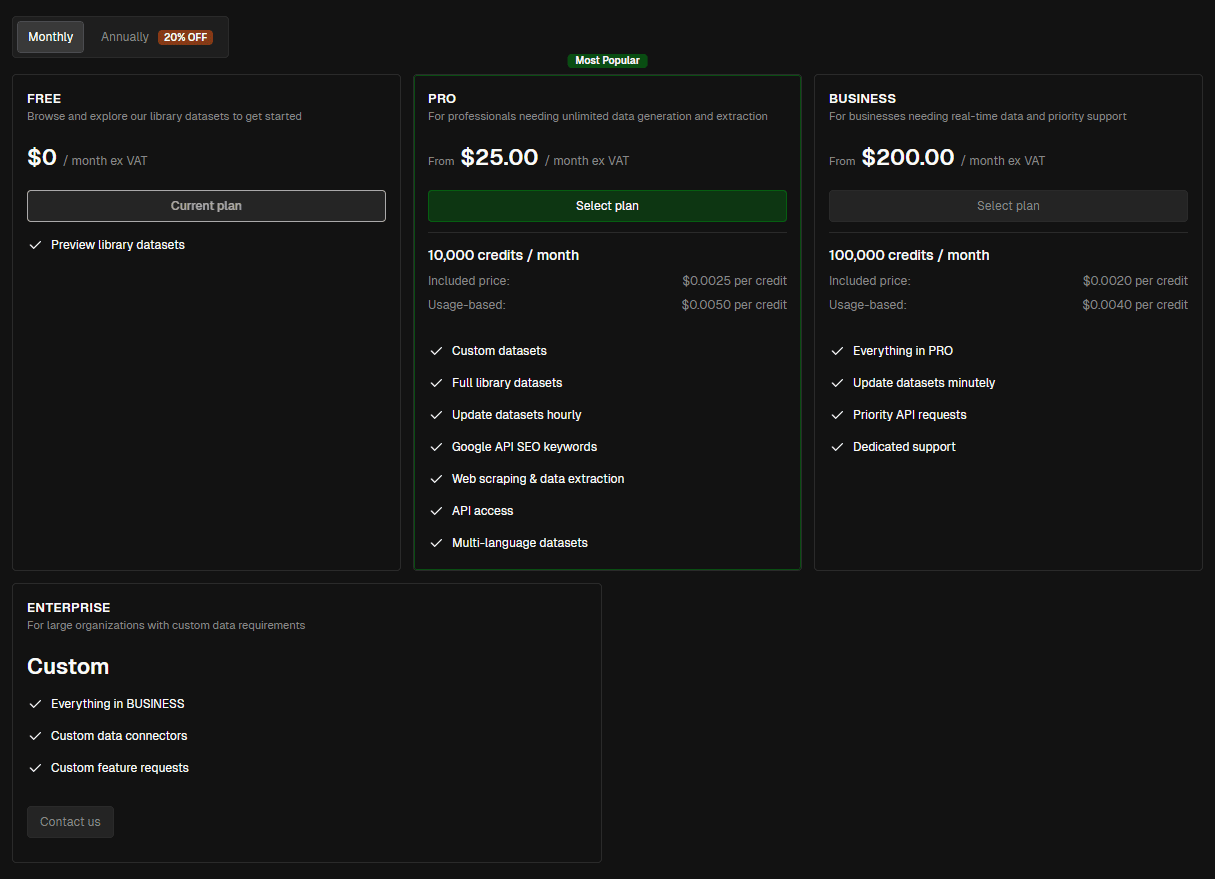
Pick the right plan (Free, Pro, Business, Enterprise) and cadence. Org scope keeps usage and API keys aligned.
Add projects
One per team or domain
Projects isolate datasets, automation, and exports. The header selector keeps you in the right space everywhere.
Create your dataset
Import, from scratch, or start empty
Upload CSV/XML/Excel/Sheets with mapping, or describe what you need and let AI generate rows automatically.
Invite members
Roles and guardrails
Invite teammates or vendors and assign roles (e.g., Administrator). Approvals and exports stay scoped to the selected org/project.
Billing, usage, and navigation stay tied to your selection
The header selector updates the entire workspace—datasets shown, automation scopes, docs links, and billing—so every action stays in the right org and project.
Org-level scope
Plans, usage, and API keys are anchored to the organisation you pick, keeping spend and access predictable.
Project-aware navigation
The sidebar mirrors product IA (Workspace, Storage, Settings, Usage, Subscription) and updates as you switch projects.
Instant context switching
Change org or project and the dataset library, automation tabs, and exports refresh to that context automatically.
Related pages
Spin up datasets fast without mixing teams
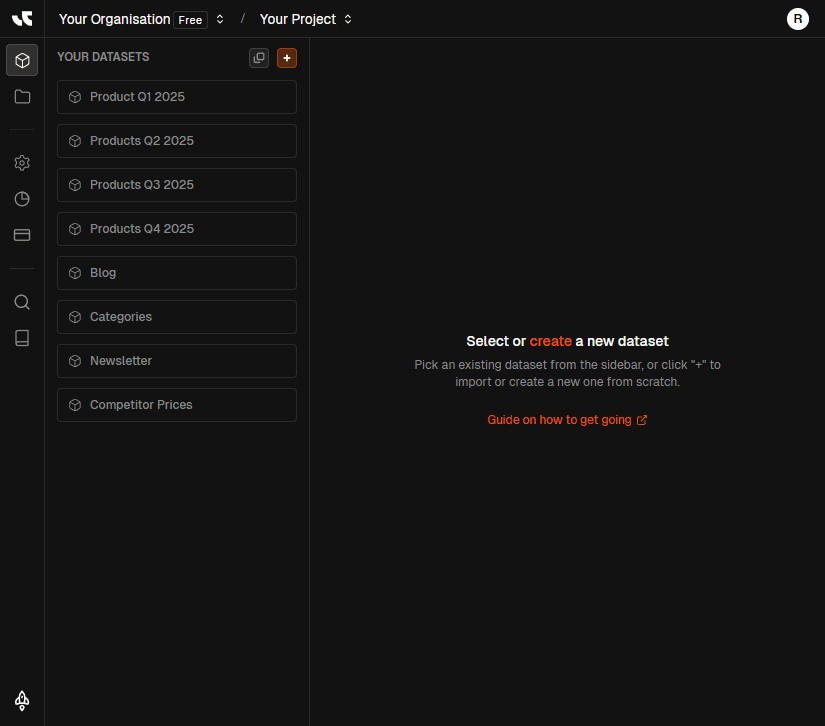
Choose how you start, then keep collections organised with favorites and grouped view.
Import or generate
Upload CSV/XML/Excel/Sheets with field mapping and saved mappings, or describe a dataset and let AI generate rows automatically.
Start empty when you need control
Design the schema yourself, then add columns manually or with templates for common content packs.
Favorites and linked datasets
Pin key datasets to the top. Grouped view clusters mother datasets with linked sets for clear lineage and navigation.
Related pages
Invite teams, keep roles and approvals aligned
Org-scoped access keeps vendors and regional teams safe while automation and exports stay gated by approvals and spend controls.
Invites and roles
Add teammates or vendors, assign roles (e.g., Administrator), and keep access scoped to the selected organisation and projects.
Org guardrails for spend
Org-level billing and usage context pair with approvals so only reviewed rows move to exports and automation.
Guidelines and assets
Upload brand guidelines and file references at the org level so workflows reuse the same voice and constraints.
Related pages
Org setups for every team shape
Patterns for single-org teams, vendors, regional rollouts, and fresh deployments—each keeps context, billing, and approvals aligned.
One org, many projects
Marketing, Web, and Retail projects stay isolated while sharing org-level billing and API scope.
Org-level plan and usage context
Projects isolate datasets and automation
Favorites and grouped view for clarity
Marketing, Web, and Retail projects stay isolated while sharing org-level billing and API scope.
Org-level plan and usage context
Projects isolate datasets and automation
Favorites and grouped view for clarity
Org-level billing
Plans, usage, and API scope are anchored to the organisation you select.
Project isolation
Datasets, imports, exports, and automation stay scoped to each project.
Flexible starts
Import data, generate from scratch, or start empty—same guardrails apply.
Favorites & groups
Pin key datasets and cluster linked sets for fast navigation.
Roles & invites
Invite teammates or vendors with org-scoped roles and access.
Approval-aware
Approvals gate what flows to exports and automation in each context.
Context selector
Header selector keeps navigation, docs, and billing aligned automatically.