
Pick the right model, scope, and cadence for every run
Balance speed, cost, and quality per job. Choose scopes that protect existing work, run in the background, and keep outputs aligned with your channels and locales.
What's inside
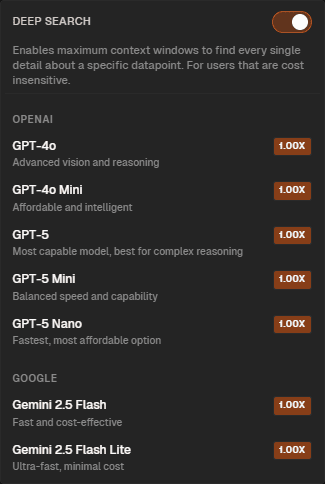
Model choice per run
Pick speed/cost/quality trade-offs for each job so bulk updates and premium copy both fit your budget.
Scopes that protect work
Both, Fill empty, or Update existing—control overwrite behavior so you never lose approved content.
Context-aware outputs
Languages, integrations, and display options keep outputs ready for SEO, search, and localization needs.
Choose the right model before you run
See model options with clear speed and cost expectations. Pair them with scopes to stay predictable on spend.
From model pick to safe publishing
Pick a model
Speed/cost/quality per run
Select the model that fits the job—fast for bulk, higher-quality for nuanced copy and SEO-critical text.
Set scope
Both, Fill empty, Update existing
Choose overwrite behavior to protect approved content while finishing gaps or refreshing fields.
Run and review
Background processing
Trigger runs on rows, a page, or the whole dataset. Review results in the grid and route to audit before export.
Ship downstream
Exports and automation
Send approved outputs to automation and exports so channels stay current without rebuilding configs.
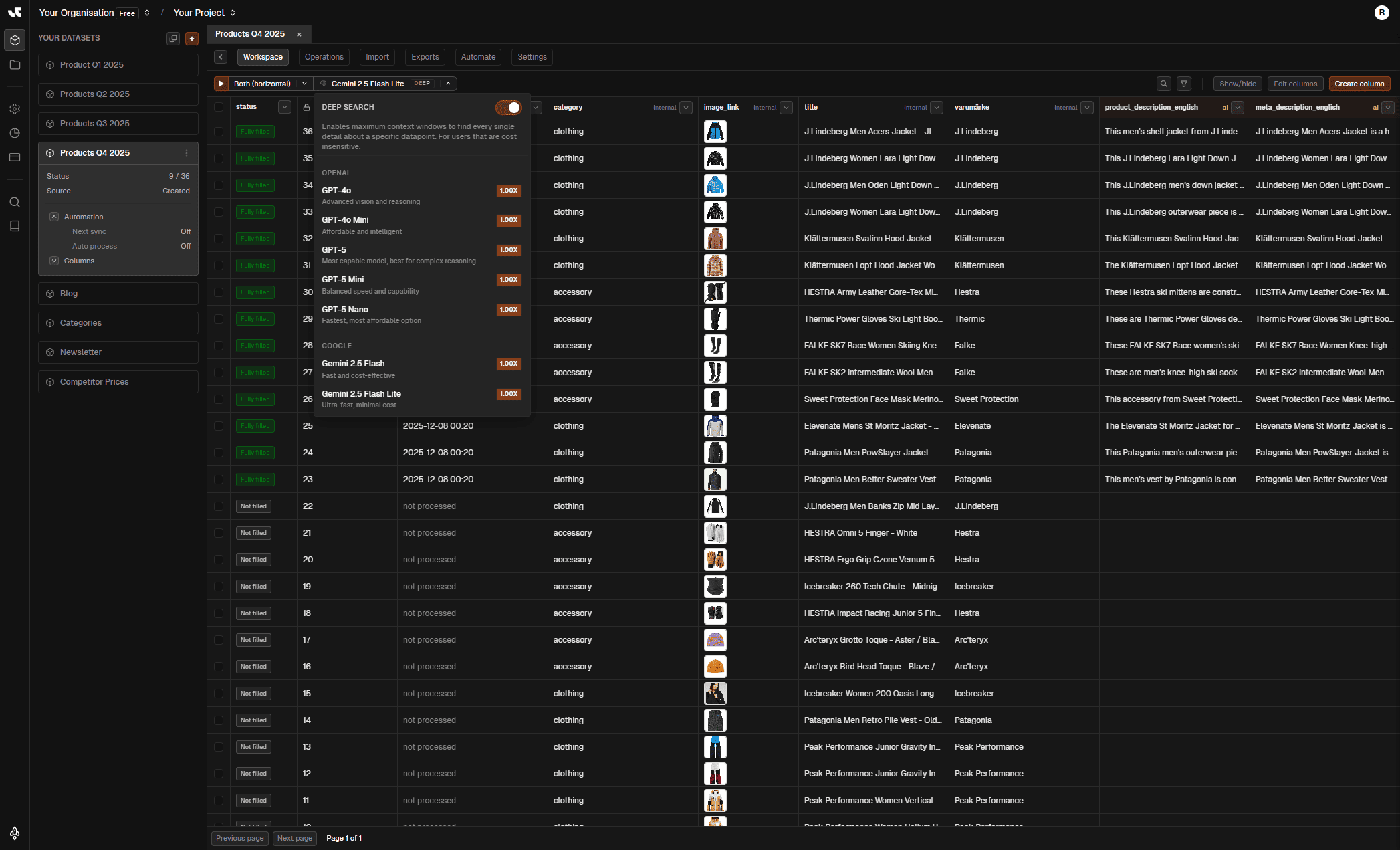
Speed, cost, and quality—choose per run
Pick the model for each job in context. Use lighter models for bulk updates and heavier ones for nuanced, SEO-sensitive, or brand-critical text.
Per-run choice
Select the model before each run to fit the job’s fidelity and budget needs.
Context-aware
Model choice stays tied to the selected org/project and dataset so scopes and costs stay aligned.
Background friendly
Run at row, page, or dataset level while work continues—status and costs stay visible.
Related pages
Choose how each run writes to your data
Pick scopes that respect existing work or refresh everything. Keep overwrite behavior explicit so teams stay confident.
Both
Full overwrite for targeted columns—use when you need a fresh, consistent pass everywhere.
Fill empty
Only populate blanks—finish gaps without touching approved or prefilled content.
Update existing
Refine rows that already have values—perfect for upgrades without creating new entries.
Related pages

Localize and enrich with the right options
Set per-field languages, connect SEO/search integrations when needed, and decide how outputs are stored for downstream systems.
Per-field languages
Generate multilingual outputs in one pass or keep languages separate depending on export needs.
Integrations when needed
Attach SEO/search signals to keep outputs aligned with real demand and channel requirements.
Display and export ready
Choose merge vs separate storage so feeds, APIs, and pages get the structure they expect.
Related pages
Dial speed, quality, and overwrite for every case
Preset patterns for bulk updates, high-fidelity copy, refreshing existing fields, and multilingual outputs.
Move fast on large sets
Use faster models with Fill empty to complete gaps without touching approved content.
Fast model, scope = Fill empty
Rows/page or full dataset
Great for catalog catch-up
Use faster models with Fill empty to complete gaps without touching approved content.
Fast model, scope = Fill empty
Rows/page or full dataset
Great for catalog catch-up
Model choice per run
Balance speed, cost, and quality every time you generate.
Scope control
Both, Fill empty, Update existing to protect approved work.
Granular targeting
Run on selected rows, current page, or the full dataset.
Background runs
Set and forget—jobs process while you keep working.
Language-ready
Per-field languages with merge vs separate display options.
Integration-aware
Attach SEO/search signals to keep outputs channel-ready.
Approval-friendly
Pair with audit so only approved rows reach exports.